
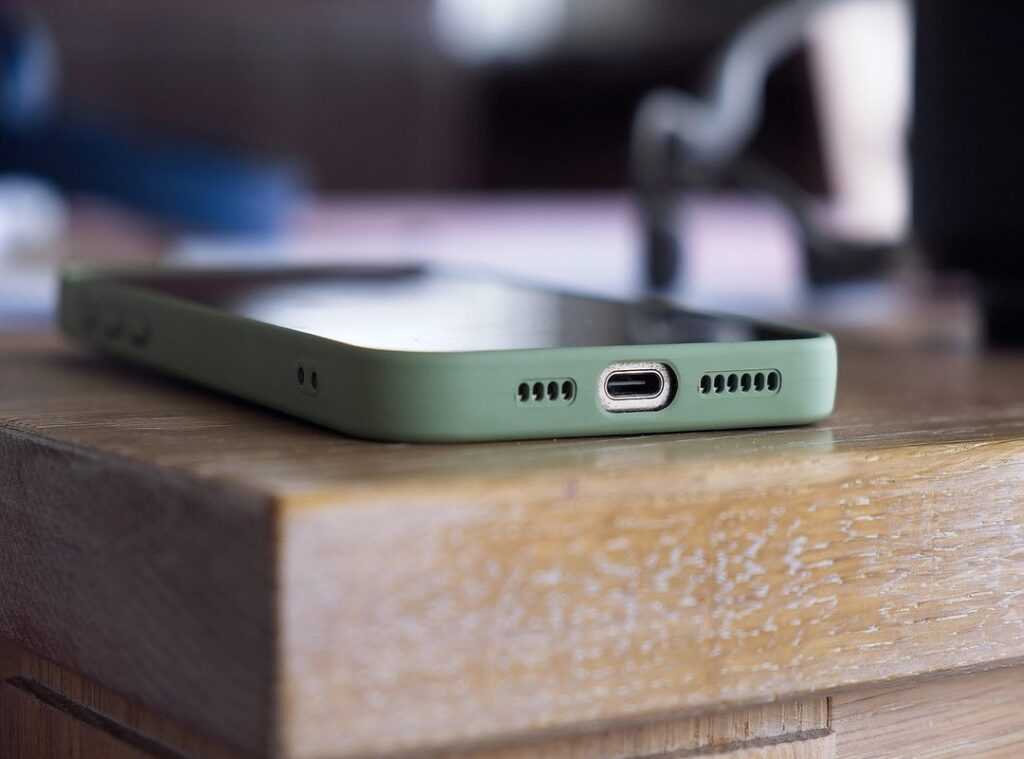
Most of us feel like we’re barely scratching the surface of our smartphones’ capabilities. I mean, how many advanced features do you think you actually use?
The reality is that most users miss out on smartphone hidden features that can boost productivity and boost your digital experience. These tools can raise everything from daily tasks to outdoor adventures.
I get it; technology can be overwhelming. But I’ve spent a lot of time digging into evolving tech. I’m committed to uncovering features that go beyond the obvious.
This article is about revealing practical functionalities that can transform your device into a true performance-driven companion. Imagine having a smartphone that keeps you connected but also enhances your time in nature.
There’s a thrill in discovering and mastering these advanced tools. I know from experience how integrating modern tech into my lifestyle has improved efficiency and connection to the world.
Stick with me. You’ll find out how to open up your smartphone’s hidden power. Get ready to change the way you use your device.
Precision Photography: Unlocking Your Smartphone’s Potential
Ever played with your smartphone’s camera modes? Most folks stick to auto. But if you dig deeper, you’ll find gems like manual controls.
On both iOS and Android, you can tweak ISO, shutter speed, and white balance to capture stunning shots. It’s like having a mini DSLR in your pocket! Want superior photo quality, even in tricky lighting?
Adjusting these settings can transform your images from meh to wow.
Ever tried shooting in RAW format? It’s a game-changer for post-processing. You capture everything the sensor sees, letting you tweak details later without losing quality.
Perfect for capturing nature scenes or fast action where every detail counts.
And let’s not forget the specialized modes. Some phones offer ‘Pro Video’ for those cinematic vibes. Or ‘Macro’ to capture those tiny dewdrops.
How about ‘Object Tracking’ to keep fast-moving birds in focus? These features can make your nature photography stand out. Imagine capturing a dramatic sunset with spot-on exposure.
Super cool, right?
Think of your smartphone as more than a point-and-shoot. Unlocking these smartphone hidden features can truly raise your photography game. Have you explored these settings yet?
If not, what are you waiting for?
Smart Productivity: Automate or Stagnate
I’m not here to sugarcoat it: if you’re not using your smartphone’s hidden features, you’re missing out. You can transform your day-to-day grind into something much smoother with tools like iOS Shortcuts or Android Routines. Imagine waking up to a “Morning Briefing” that automatically updates you on the weather and your schedule.
Sounds like a dream, right? But it’s real.
Text expanders are another game-changer. They save you hours by replacing snippets with full phrases or emails. Who doesn’t want to skip typing the same thing over and over?
You set it up once, and you’re good to go. Fast, right?
Now, let’s talk about Focus Modes. They’re not just for “Do Not Disturb” anymore. You can create custom modes for deep work or leisure.
Imagine a “Nature Mode” that silences notifications and activates mapping apps when you hit a hiking trail.
For those who crave more, dive into tech gadgets off beaten path to discover unique tools. Automate your workflow or get left behind. It’s that simple.
Outdoor Navigator: Harnessing Hidden Sensors
Ever wondered how to turn your phone into a nature expert? Smartphones are packed with hidden features that can help you conquer the great outdoors. Let’s start with barometers.
These little guys track real-time elevation changes. I use apps that sync with the barometer to get accurate altitude readings. Perfect for hikers and climbers wanting to know exactly where they stand (literally).
Next up, GPS logging. It’s not just for getting from A to B. Advanced GPS data logging lets you create detailed records of your adventures.
Think speed, distance, and elevation profiles. Find a third-party app that logs this data, and you’ve got a digital diary of all your outdoor escapades.
Now, the digital compass. Calibrating it is key for accurate navigation, especially when you’re off the beaten path. And it gets even cooler when integrated with augmented reality (AR) apps.
Lastly, sound level meters can measure ambient noise. Imagine knowing exactly how loud that waterfall is. Or if you’re at a sporting event, checking decibel levels.
You’ll never be lost again.
For more on these nifty tools, check out New Apps Unheard.
Digital Fortification: Secrets You Miss
Let’s face it, you might not be using your smartphone as securely as you think. Secure folders like Samsung’s and Google Files’ Safe Folder create a fortress for your sensitive stuff. Ever tried them?
They keep your data isolated from prying eyes. It’s the digital equivalent of a safe locked within another safe.
Notifications can drive anyone nuts. You can silence or group app notifications and even use features like ‘bubbles’ to keep your focus sharp. Do you really need to know every time a friend posts a meme?
Probably not. It’s time to clean up that digital clutter.
Speaking of focus, have you tried setting app usage limits? Self-regulating app consumption isn’t just for kids. It improves mental health and keeps you sane.
Trust me, you’ll thank yourself later.
Now, let’s talk safety. ‘Emergency SOS’ features are a lifesaver (literally.) Set it up with emergency contacts and your medical info. Outdoorsy folks, this one’s key. It shares your location automatically in sticky situations.
Curious about more smartphone hidden features? There’s a trove of them waiting to be unlocked, helping protect your privacy and peace of mind.
Beyond Basic Listening: Audio & Vision Enhancements
Have you ever tried to catch the sound of a distant bird but just couldn’t quite hear it? Enter Sound Amplifier. This feature is your friend when you’re in a challenging environment.
It boosts specific sounds, making distant nature sounds or conversations in noisy places clear as day.
And what about when you need real-time transcription? ‘Live Caption’ comes in. It gives you a running text of any audio on your device, perfect for understanding content without sound. It’s a game-changer for quiet settings or those who need a little extra accessibility.
Let’s talk about customizing sound. Why not have a ‘Workout Profile’ with extra bass to get you pumped? Or a ‘Nature Meditation Profile’ that focuses on ambient sounds?
Tailor your audio experience to fit your activities.
Ever wanted to project your phone’s screen onto a bigger display? Screen Mirroring lets you do just that. Whether it’s showing off trail maps or your latest nature photos, it’s simple to set up across devices.
Who knew smartphone hidden features could be so handy? They truly transform every interaction with your device.
Open up Your Smartphone’s Potential
You’ve navigated your way through the smartphone hidden features that often go unnoticed. Now, it’s time to use that power. Too many people overlook these tools, missing out on efficiency and richer experiences.
By tapping into these integrated functionalities, you gain an edge in productivity and a connection to what’s around you.
So, what’s next? Start experimenting with one new feature today. Integrate it into your daily routine and see how it transforms your tasks.
Then, dig deeper. Explore even more features.
Share what you discover. Push the limits of your device.
You have the tools, now take control. Don’t let your smartphone sit idle. It’s time to raise your digital journey.
Call to action: dive in and see how far you can go.
 Tarynix Shadecrest has opinions about hardware and digital solutions. Strong ones. But unlike a lot of people writing in that space, those opinions usually come from actual experience rather than borrowed excitement. They covers In-Depth Hardware Evaluations, Hands-On Digital Solutions, and practical technology integration with the mindset of someone who has spent a long time testing things until the marketing language falls apart. Tarynix isn’t especially interested in products that sound impressive in launch presentations but become frustrating the second someone tries using them in daily life. That skepticism gives the writing a level of credibility readers tend to recognize quickly.